Timesheet has been developed to include an approval system for the time logged by users.
Functionality:
Timesheet is divided into 3 parts
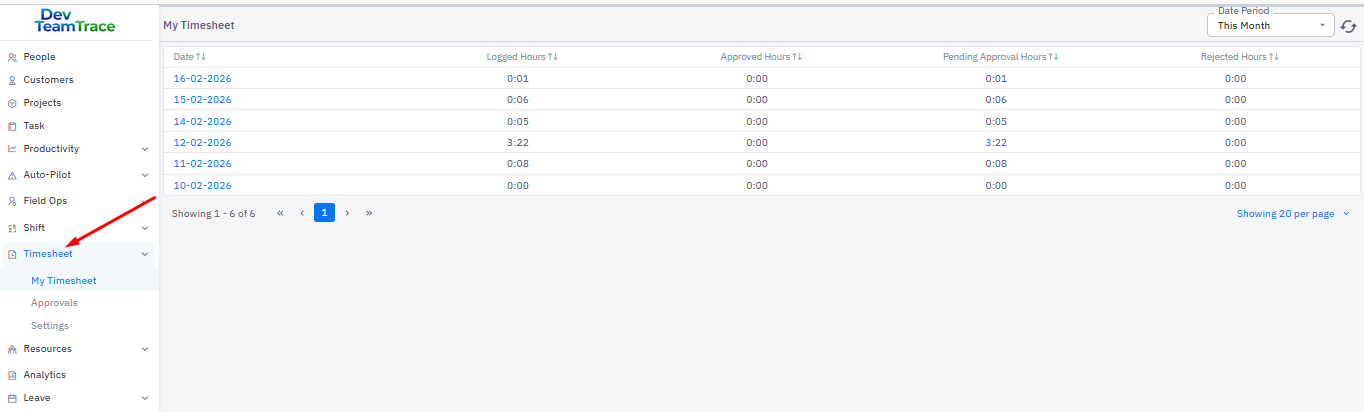
My timesheet
This menu will be visible to employees only, allowing them to view their logs, whether approved or not.
Approvals
By default, this menu is visible only to users with the Super Admin role. If someone is assigned as an approver for any user, the corresponding logs will appear for them to review and approve, which also makes this menu visible to that person.
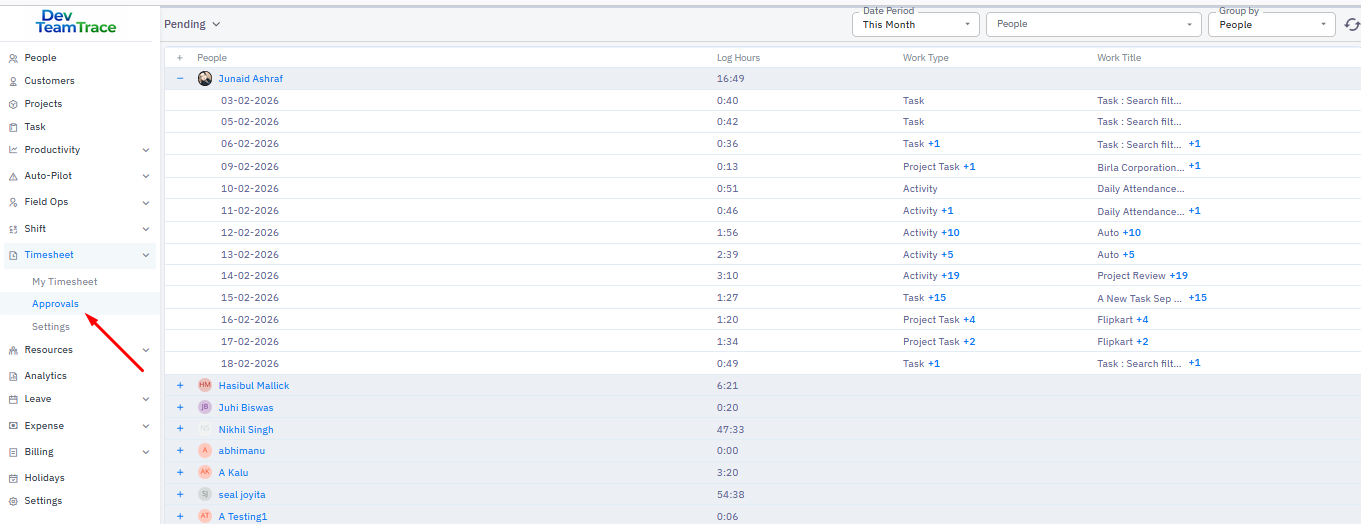
This has been divided into two parts
Pending: This will display records for which no action has been taken yet.
Approved: This will display records for which an action has been taken—either approved or rejected.
By default all the screenshots are checked. To disapprove a time slot or screenshot remove the check mark and click on Approve.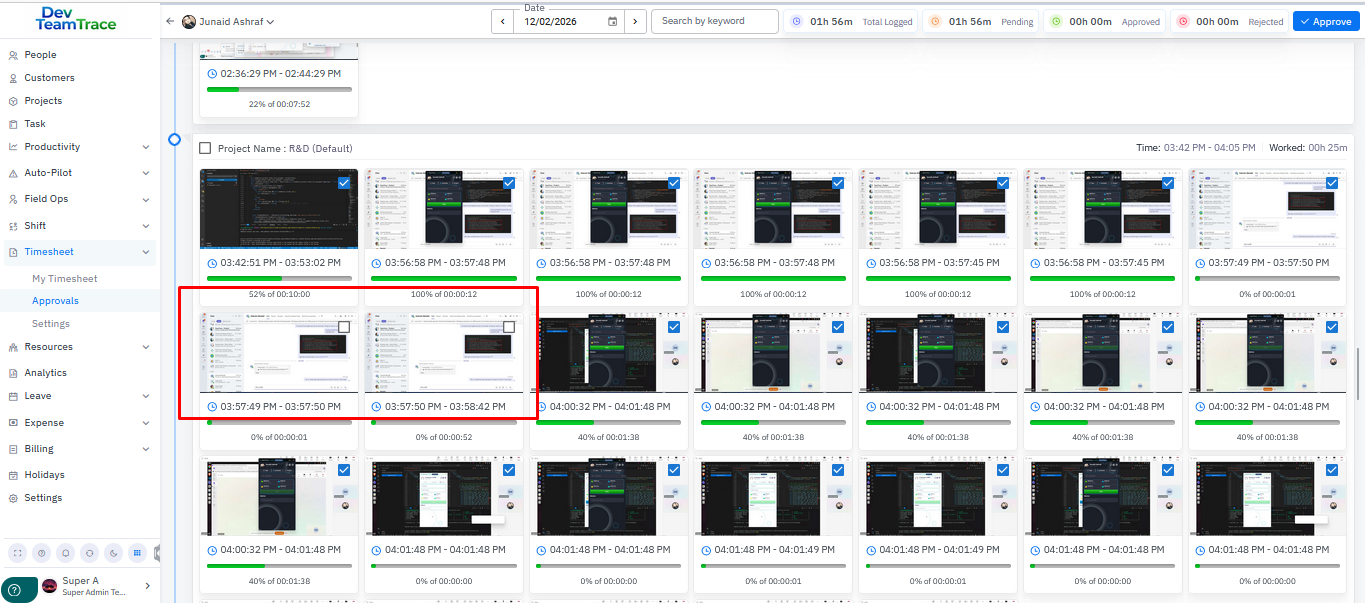
Settings
Here we can define who will approve whose logs.
For Project
HR: Users with the HR role will be available for selection. This role must be created manually, as it is not available by default.
Project Admin: A project user who has the admin role within the project.
Reporting Person: The user’s designated reporting person.
Specific Person: Other users can be added here.
Task & Activity
HR: Users with the HR role will be available for selection. This role must be created manually, as it is not available by default.
Reporting Person: The user’s designated reporting person.
Was this article helpful?
That’s Great!
Thank you for your feedback
Sorry! We couldn't be helpful
Thank you for your feedback
Feedback sent
We appreciate your effort and will try to fix the article