TeamTrace tracks work using desktop and mobile app. The tracker captures active time, idle periods, app usage, URLs, and screenshots (including stealth mode if enabled).
How to download the app.
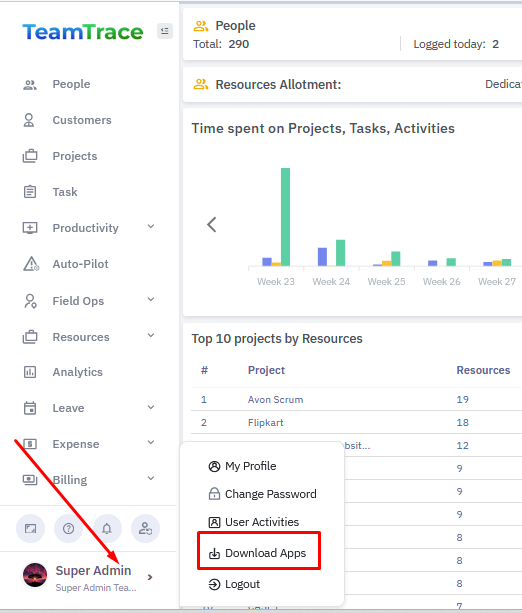
From the TeamTrace Dashboard, click on the arrow next to your name (account name) on the bottom left of the page and from the pop-up menu click on Download Apps.
From the Download page, select the executable file based on the operating system you are using.
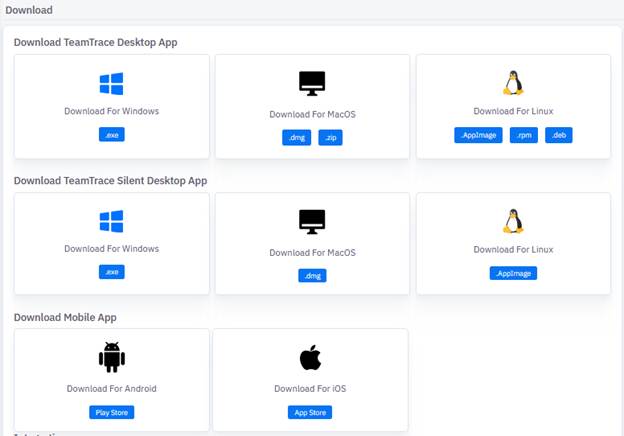
Once downloaded, open the file and follow the installation steps and install the app.
How to install the Silent Desktop App.
Download the file, Silent App, according to the Operating system you are using.
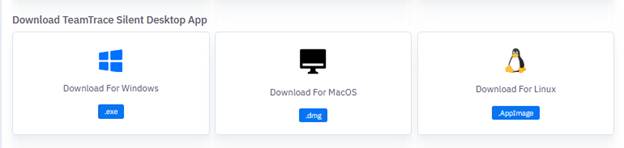
After installing the App, you will need employee code of the user and an installation key to login to the Silent App.
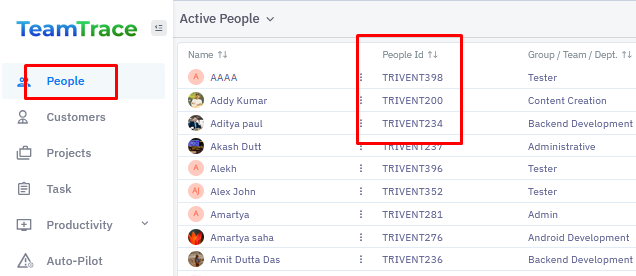
To get the employee ID of the user, go to the Dashboard and click on People. From the list of people in your organization, you would find the People ID column. You can find the people ID or employee ID from that column.
To get the Installation Key, click on Settings from the left menu and go to Device Restrictions.
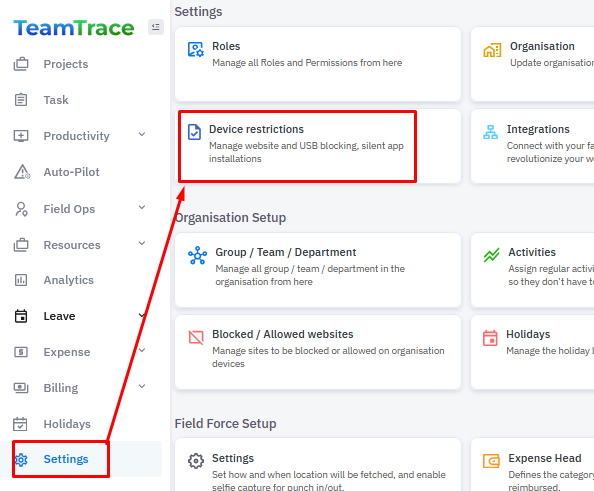
From the left menu, click on Silent Tracking and copy the Installation Key.

To enable webcam access for an app on a Mac:
Click the Apple menu.
Select System Settings.
Go to Privacy & Security.
Click Camera.
Turn on access for the app (Look for "System Utility" or "ttsl" and turn it on.)
Was this article helpful?
That’s Great!
Thank you for your feedback
Sorry! We couldn't be helpful
Thank you for your feedback
Feedback sent
We appreciate your effort and will try to fix the article