Go to the list of Tasks and hover the mouse over the Task.
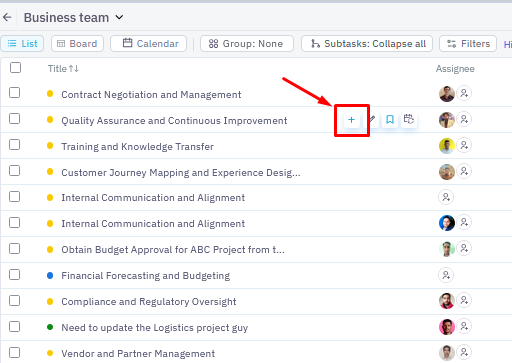
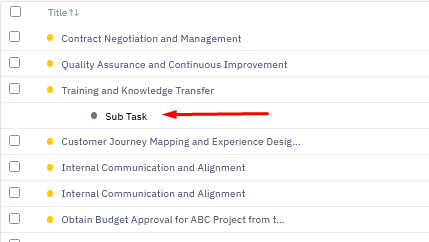
Click on the + button, and it will create a drop-down space under the Task. Type in the Sub-Task name and click enter.
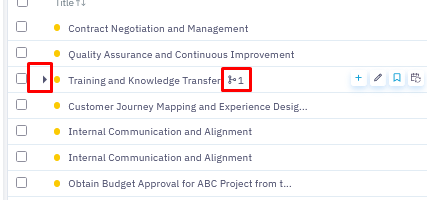
Once the Sub-Task is created, an arrow will appear in front of the Task name, and a +1 sign will appear after the name.
To edit the Subtask, click on the Sub-Task name or click on the pencil icon.
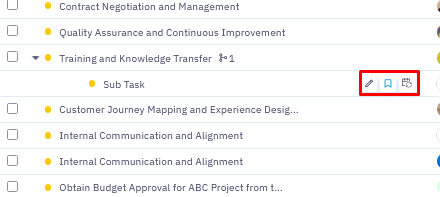
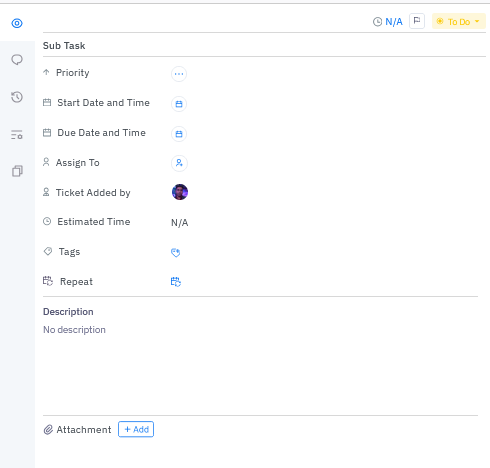
In the Subtask pop-up window, fill the required details and close the window.
Was this article helpful?
That’s Great!
Thank you for your feedback
Sorry! We couldn't be helpful
Thank you for your feedback
Feedback sent
We appreciate your effort and will try to fix the article