- Sign in to the TeamTrace portal with appropriate credentials.
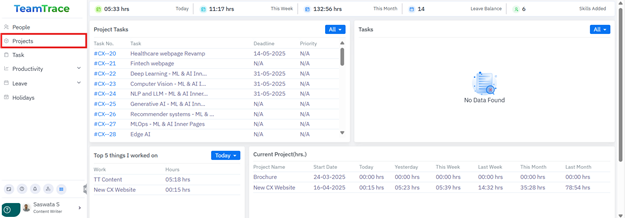
- On the top navigation bar, open the Projects menu and select Projects to access the projects dashboard.
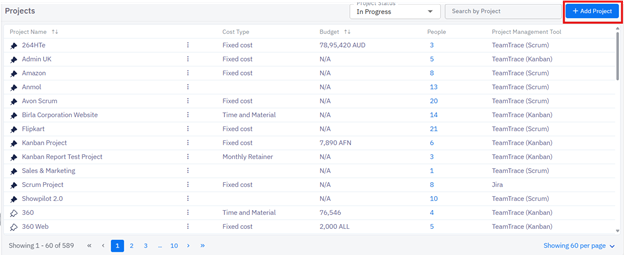
- Click the + Add button to begin. This opens the project creation form.
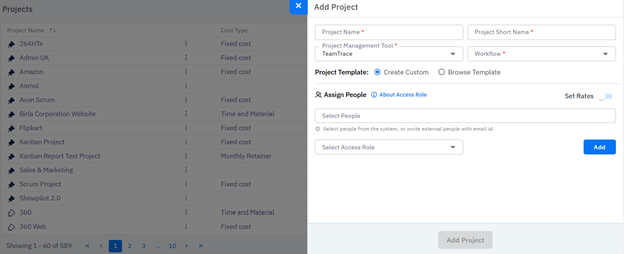
- Fill in Project Information
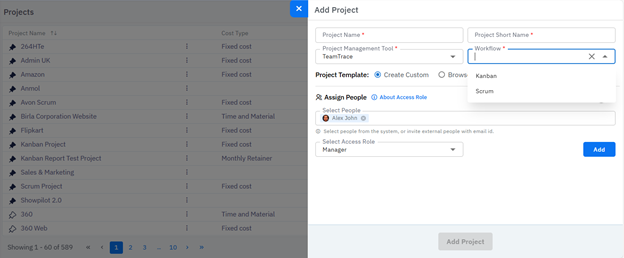
- Enter all mandatory fields (project name, project management tools, workflow, deadlines, etc.).
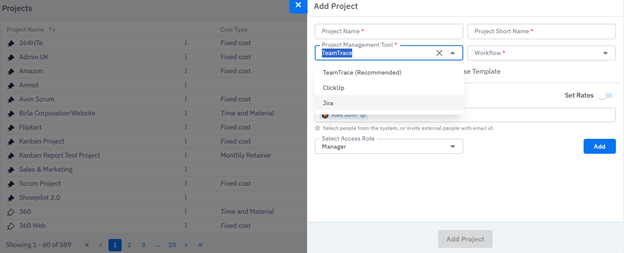
- Select the platform (Project Management Tool) to manage the project lifecycle (TeamTrace – recommended, Jira, or ClickUp).
- Define the workflow (working methodology) for the project (e.g., Kanban or Scrum).
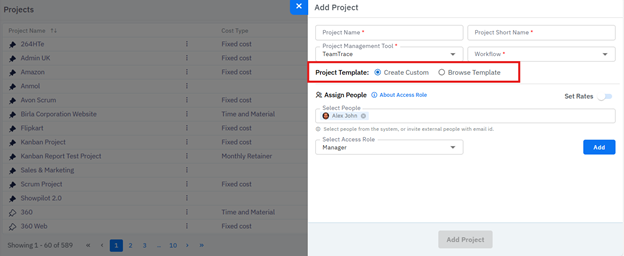
- Choose to create a custom project structure or use a predefined template.
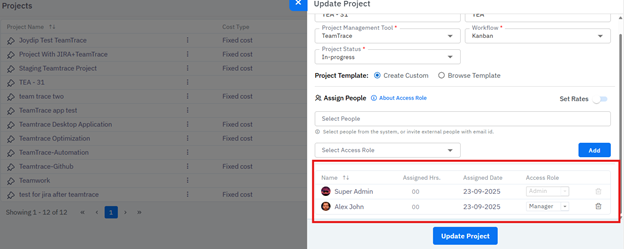
- Add team members to the project and define their access roles. Once done, click on Add.
- Click Save and Next to proceed.
Was this article helpful?
That’s Great!
Thank you for your feedback
Sorry! We couldn't be helpful
Thank you for your feedback
Feedback sent
We appreciate your effort and will try to fix the article