Jira Integration in Teamtrace
Go to the TeamTrace dashboard and from the left hand side menu click on Projects and then click + Add Project button on top right of the page.
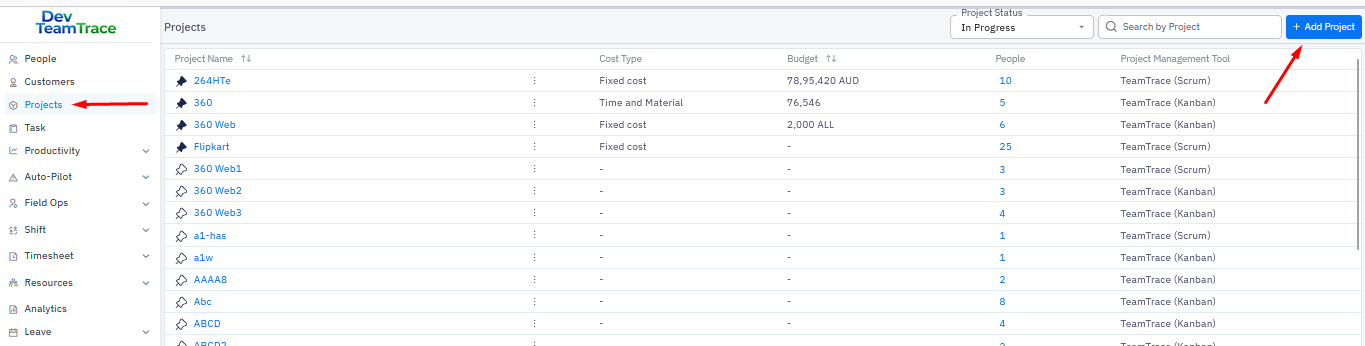
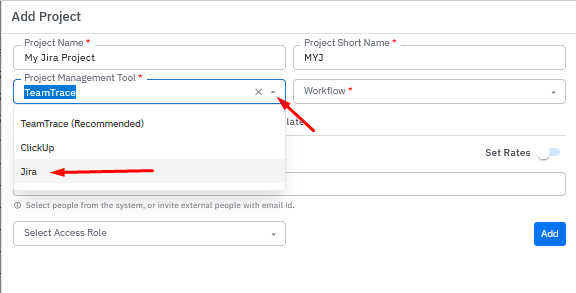
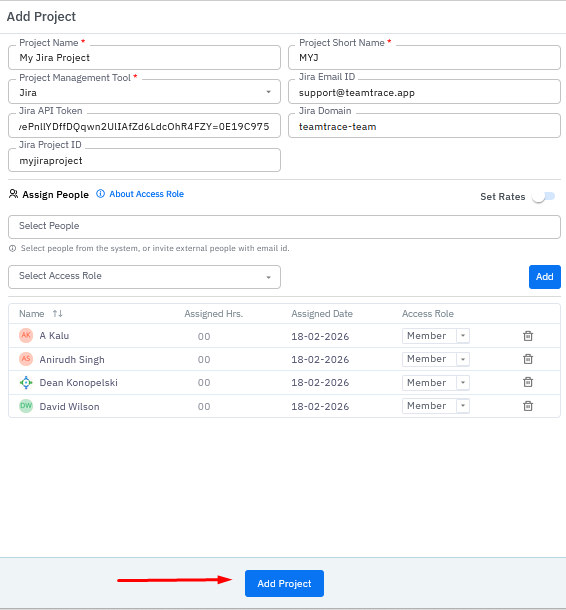
In the Add Project window fill in the Project Name and from the Project Management Tool drop down select Jira.
Once you select Jira from the drop down you will need to enter Jira Email ID, Jira API Token and Jira Domain.
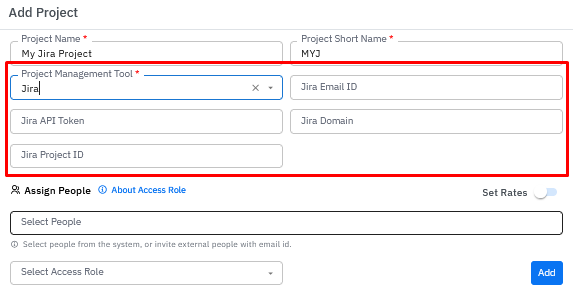
You will find these information in the Jira board.
You would need to have a Jira Admin Credentials Go to the Jira page and log in with your admin credentials.
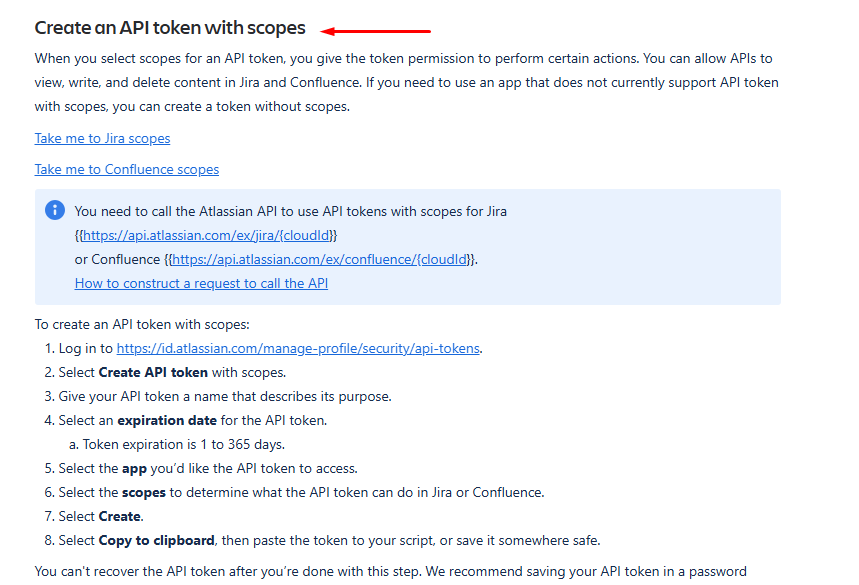
Open a new tab and search google for "jira api token" and click on Manage API token for your Atlassian account.
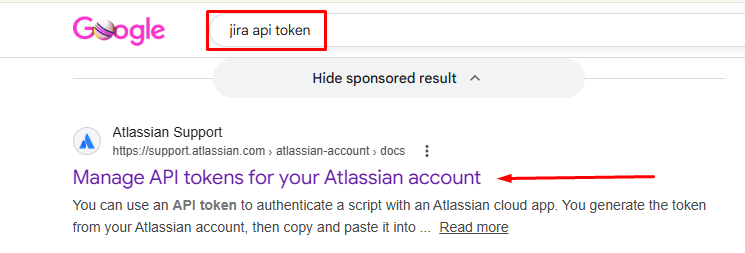
Scroll down on the page to Create an API token with scope and follow the instructions.
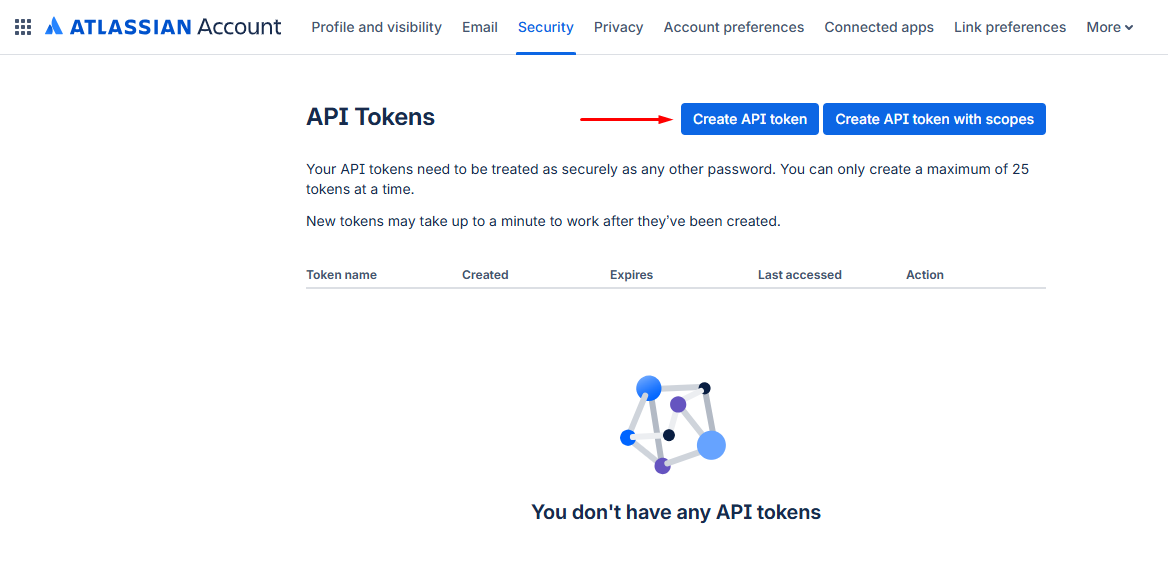
On the Atlassian account page click on Create API token
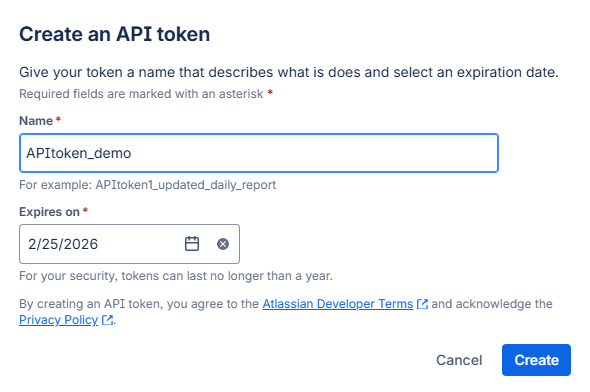
In the Create an API token window provide a name and click on Create.
Add the information in the required jira fields.
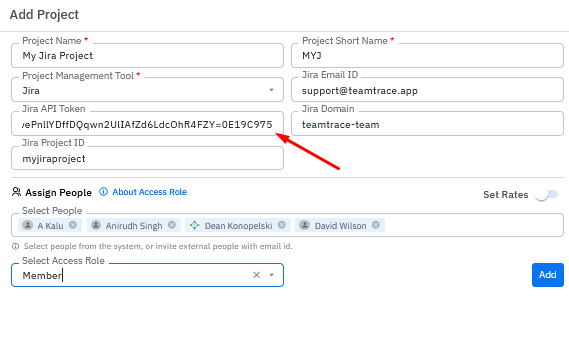
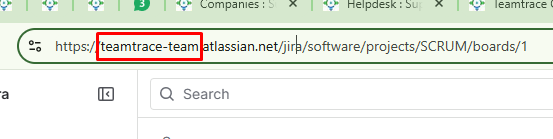
Domain name can be found in the URL.
Go back to the TeamTrace portal and fill the rest of the details. Add people in the project and assign them roles from the drop down and click on Create Project.
Was this article helpful?
That’s Great!
Thank you for your feedback
Sorry! We couldn't be helpful
Thank you for your feedback
Feedback sent
We appreciate your effort and will try to fix the article