Overview
Every employee in TeamTrace has one of three statuses: Active, Inactive or Archived. This article explains how to check an employee's status and how to request that an inactive user be archived.
Employee Statuses
| Status | How to view or set it |
| Active | Shown by default on the People page. |
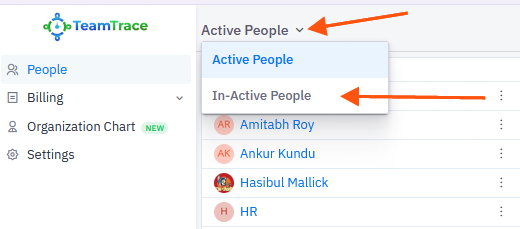
| Inactive | View the list by switching the drop-down on the People page to Inactive People. |
| Archived | Set by the TeamTrace support team on request. Only inactive users can be archived. |
How to Check Employee Status
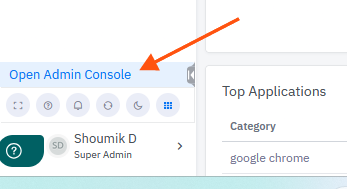
- Log in to TeamTrace and click Open Admin Console.
2. Click People.
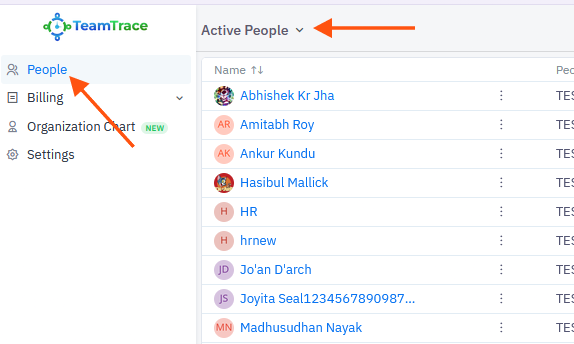
3. The Active People page is selected by default. You will see the list of active users.
4. To see inactive users, click the drop-down next to
Was this article helpful?
That’s Great!
Thank you for your feedback
Sorry! We couldn't be helpful
Thank you for your feedback
Feedback sent
We appreciate your effort and will try to fix the article