Overview
A project template is an option you choose when creating a new project. It sets the structure of the project, so you can either configure your own or start from a predefined template. This article explains the two options and how to use them.
Where to Find Project Templates
- Open the Projects page and click + Add (or Add Project) to start a new project.
- On the project creation form, find the template options. There are two radio buttons: Create Custom and Browse Templates.
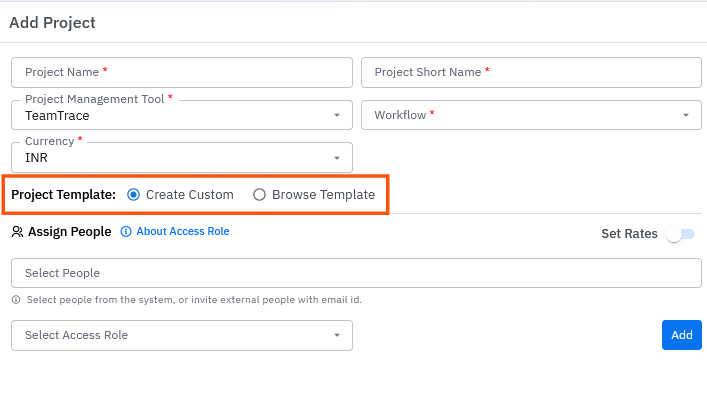
Template Options
| Option | What it does |
| Create Custom | Lets you create your own template by configuring the options of your choice. |
| Browse Templates | Shows a list of predefined, pre-created templates to choose from. The available templates are Scrum and Kanban. |
Option 1: Create a Custom Template
- On the project creation form, select Create Custom.
- Configure the options you want for your own template.
- Continue with the rest of the project setup.
Option 2: Use a Predefined Template
- On the project creation form, select Browse Templates.
- Review the list of predefined templates (Scrum and Kanban).
- Each template has two buttons:
- View Template: opens a new window with a visual idea of the template.
- Use Template: selects the template for the project you are creating.
- Click Use Template on the template you want.
- Continue with the rest of the project setup.
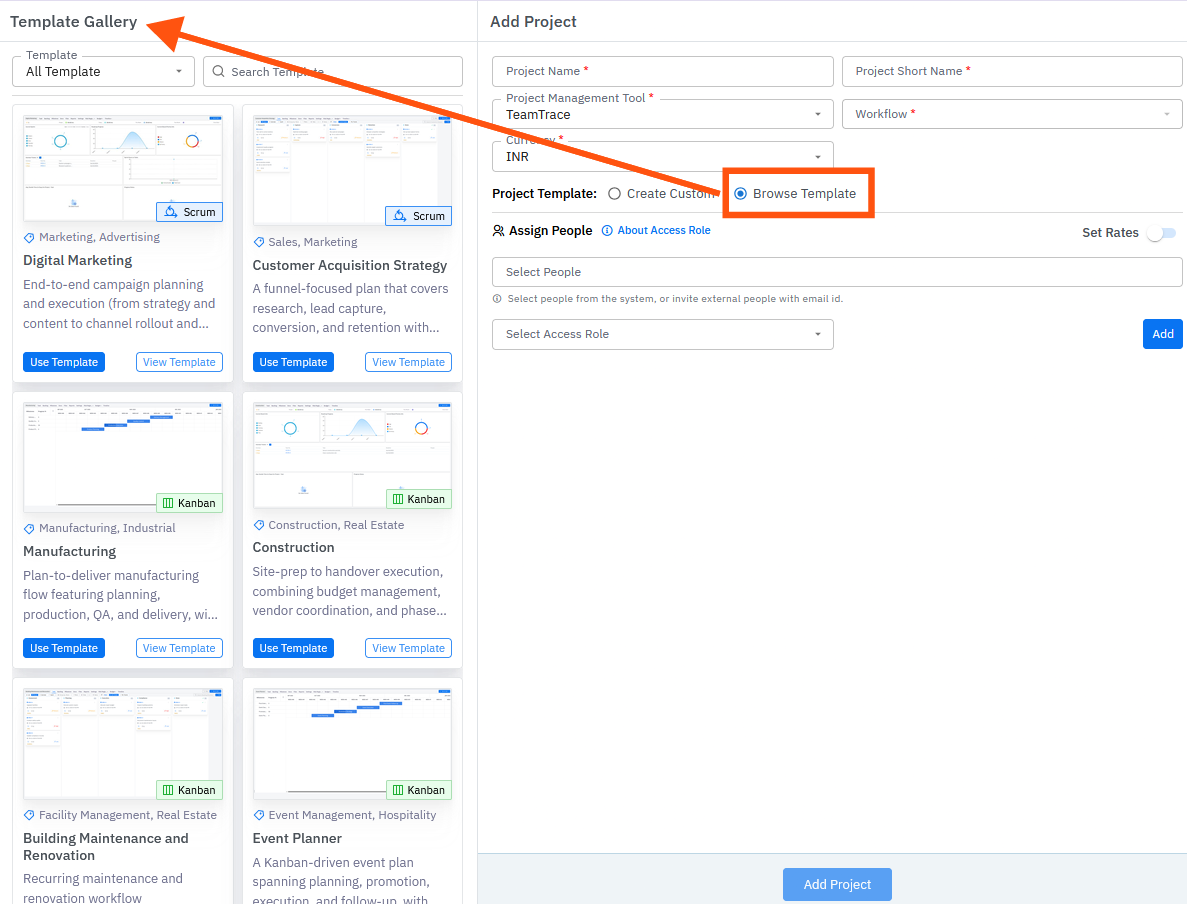
Choosing Between Scrum and Kanban
| Template | Description |
| Scrum | Organizes work into time-boxed iterations called sprints. It suits projects where requirements evolve and deliverables are built step by step. |
| Kanban | Shows work visually as it moves through the stages of a workflow, helping teams see task distribution and spot bottlenecks. |
Notes
- Use View Template before you choose, to see what the template looks like.
- Clicking Use Template selects the template for the project you are creating. It doesn't create the project, so finish the project setup to save it.
- Template cannot be changed after the project is created
Troubleshooting
| Problem | What to check |
| The template options aren't visible | Check that you are on the project creation form and your account has permission to create projects. |
| The View Template window doesn't open | Check that your browser isn't blocking pop-up windows. |
| The template isn't applied to the project | Confirm you clicked Use Template and then completed the project setup. |
Related Articles
Was this article helpful?
That’s Great!
Thank you for your feedback
Sorry! We couldn't be helpful
Thank you for your feedback
Feedback sent
We appreciate your effort and will try to fix the article